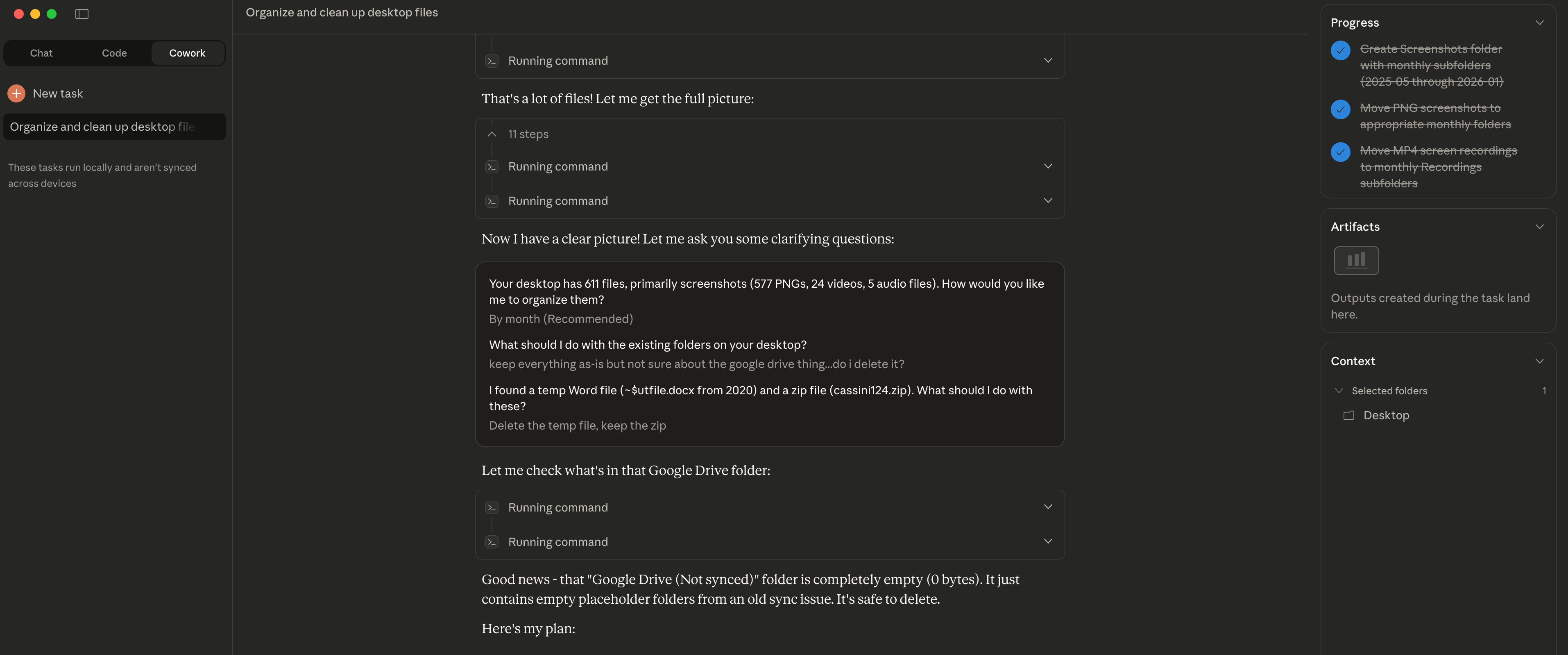
The Easy Part Is Over I decided to try Claude Cowork for something simple: organizing my desktop. I had accumulated months worth of files, mostly screenshots - 611 in total. Claude asked me clarifying questions first: "How would you like me to organize them?" "What about the existing folders?" "The random zip file from years ago?" Once I answered, it sorted everything into folders by year and month. Took about 2 minutes. Here's the insight though: file organization worked well because the structure (dates) was already visible in the filenames. Screenshots have timestamps. Claude could use that metadata. For files without clear naming conventions or inherent structure? That's where things get harder. The easy part is indeed over - the interesting challenges are just beginning.
📁 Gestión de Archivos Comunidad
Organización de Capturas de Pantalla del Escritorio
El autor hizo que Claude organizara 611 archivos de escritorio (principalmente capturas de pantalla) acumulados durante meses, ordenados por año y mes en 2 minutos
★☆☆ Principiante 2 min 13 de enero de 2026
📋
Escenario
Mi escritorio ha acumulado archivos durante varios meses, principalmente capturas de pantalla, ahora 611 archivos en total, y quiero organizarlo mejor.
💬
Prompt
Help me organize my desktop.
✨
Resultado Esperado
Claude primero hizo preguntas de clarificación: - "¿Cómo te gustaría que los organice?" - "¿Qué pasa con las carpetas existentes?" - "¿El archivo zip aleatorio de hace años?" Luego, basándose en metadatos de timestamp en los nombres, ordenó 611 archivos en carpetas por año y mes **en 2 minutos**.
💡
Consejos
- • Los archivos de capturas de pantalla suelen contener timestamps de fecha, perfecto para organización automática
- • Claude preguntará sobre tus preferencias antes de actuar
- • Puede no funcionar tan bien para archivos sin convenciones de nombres claras