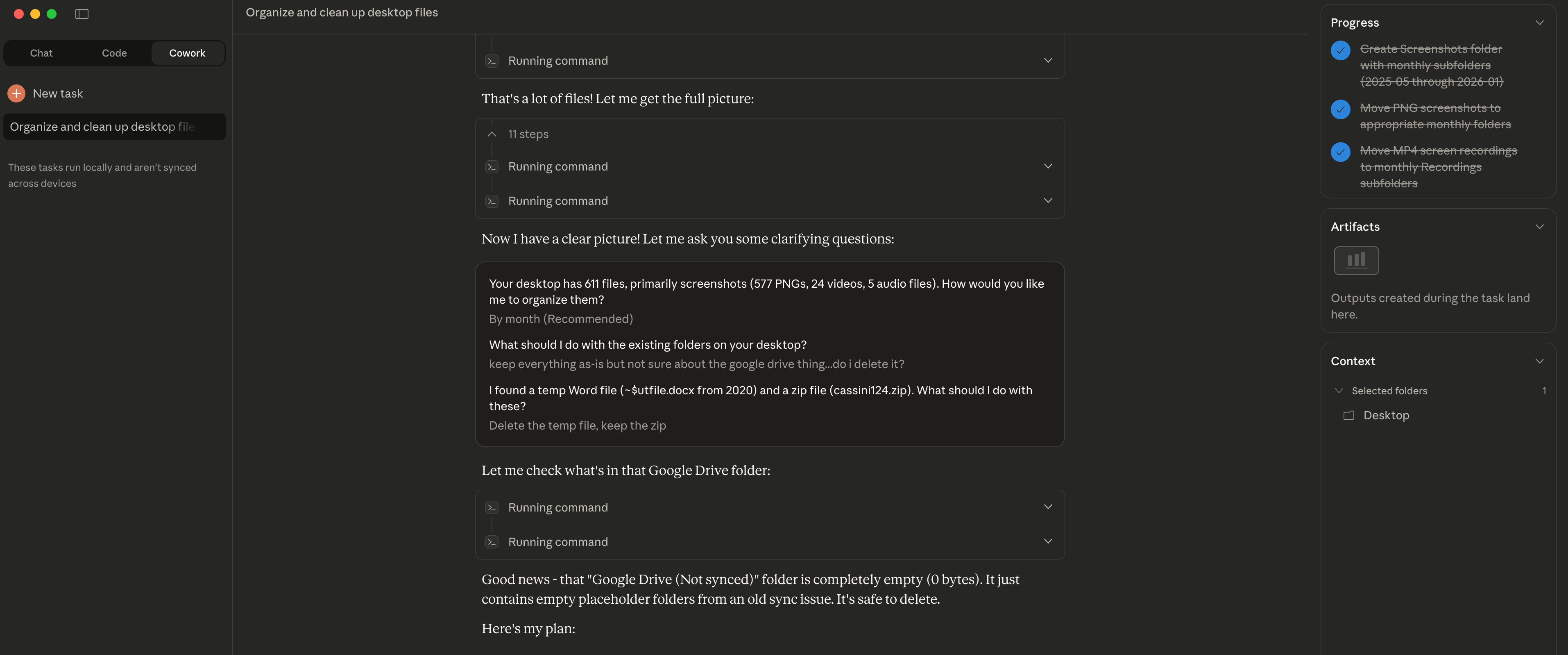
The Easy Part Is Over I decided to try Claude Cowork for something simple: organizing my desktop. I had accumulated months worth of files, mostly screenshots - 611 in total. Claude asked me clarifying questions first: "How would you like me to organize them?" "What about the existing folders?" "The random zip file from years ago?" Once I answered, it sorted everything into folders by year and month. Took about 2 minutes. Here's the insight though: file organization worked well because the structure (dates) was already visible in the filenames. Screenshots have timestamps. Claude could use that metadata. For files without clear naming conventions or inherent structure? That's where things get harder. The easy part is indeed over - the interesting challenges are just beginning.
📁 ファイル管理 コミュニティ
デスクトップスクリーンショットの整理
著者は Claude に数ヶ月間蓄積した 611 件のデスクトップファイル(主にスクリーンショット)を整理させ、年月ごとに 2 分で分類
★☆☆ 初級 2 min 2026年1月13日
📋
シナリオ
デスクトップに数ヶ月間ファイルが蓄積し、主にスクリーンショットで、合計 611 ファイルになった。もっと整理したい。
💬
プロンプト
Help me organize my desktop.
✨
期待される結果
Claude はまず確認の質問をした: - 「どのように整理しましょうか?」 - 「既存のフォルダはどうしますか?」 - 「数年前のランダムな zip ファイルは?」 その後、ファイル名のタイムスタンプメタデータに基づいて、611 ファイルを年月ごとのフォルダに **2 分で**分類。
💡
ヒント
- • スクリーンショットファイルには通常日付タイムスタンプが含まれ、自動整理に最適
- • Claude は行動する前にまず好みを確認
- • 明確な命名規則のないファイルにはあまり効果的でない場合も