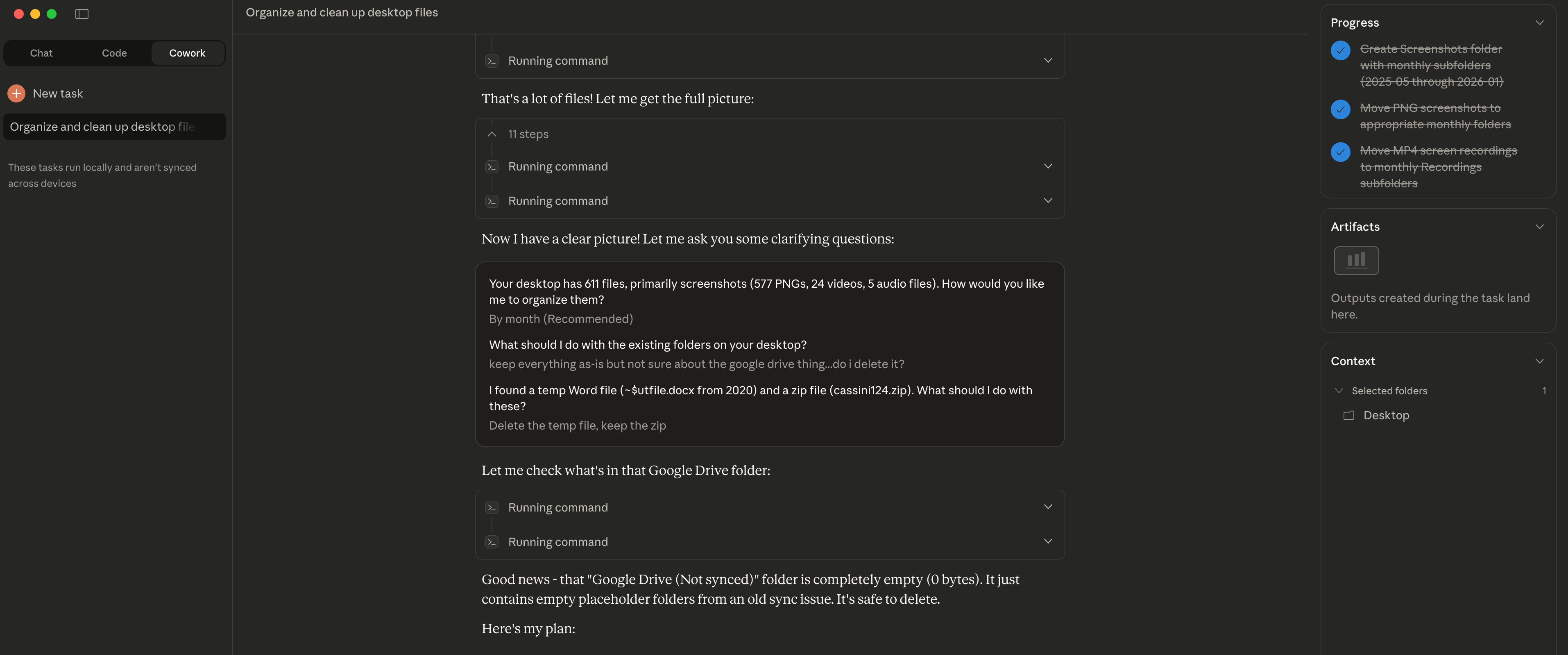
The Easy Part Is Over I decided to try Claude Cowork for something simple: organizing my desktop. I had accumulated months worth of files, mostly screenshots - 611 in total. Claude asked me clarifying questions first: "How would you like me to organize them?" "What about the existing folders?" "The random zip file from years ago?" Once I answered, it sorted everything into folders by year and month. Took about 2 minutes. Here's the insight though: file organization worked well because the structure (dates) was already visible in the filenames. Screenshots have timestamps. Claude could use that metadata. For files without clear naming conventions or inherent structure? That's where things get harder. The easy part is indeed over - the interesting challenges are just beginning.
📁 文件管理 社区
桌面截图文件整理
作者让 Claude 整理积累数月的 611 个桌面文件(主要是截图),2 分钟内按年月分类完成
★☆☆ 初级 2 min 2026年1月13日
📋
使用场景
我的桌面积累了好几个月的文件,主要是截图,已经有 611 个文件了,想让它变得有组织一些。
💬
提示词
Help me organize my desktop.
✨
预期结果
Claude 先询问了澄清问题: - "你想怎么整理?" - "现有文件夹怎么处理?" - "那个几年前的随机 zip 文件呢?" 然后根据文件名中的时间戳元数据,**2 分钟内**将 611 个文件按年月分类到文件夹中。 **关键洞察:** 文件整理效果好是因为结构(日期)已经在文件名中可见。
💡
使用技巧
- • 截图文件通常包含日期时间戳,非常适合自动整理
- • Claude 会先询问你的偏好,而不是直接行动
- • 对于没有明确命名规则的文件,效果可能不太理想